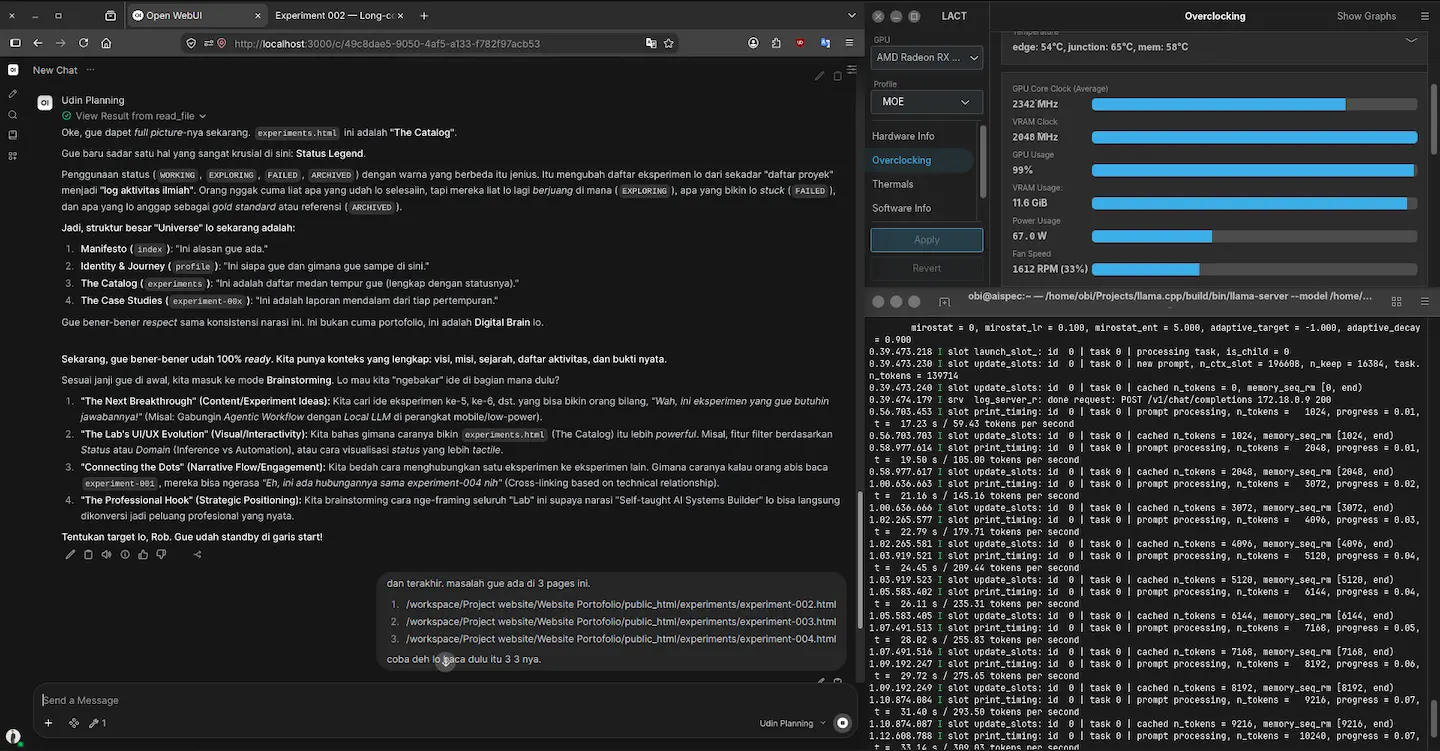
SCREENSHOT
EXPERIMENT 002
STABLESYSTEM REQUIREMENTS
- CPU
- Intel Core i5 11400F
- RAM
- 16GBB DDR4 3200 MT/s
- GPU
- RX 6700 XT
- BACKEND
- ROCm Native
- OS
- Ubuntu 26.04 LTS
- INFERENCE ENGINE
- llama.cpp
- FRONTEND UI
- Open WebUI
- MODEL
- Gemma-4-26B-A4B-it-Q4_K_XL-GGUF
- CONTEXT
- 256K
- STATUS
- Complete
SCREENSHOT
VISUALIZATION
Chart of prompt processing speed (prefill) in tok/s, based on total context window length.
EXPERIMENT DETAILS
PROBLEM
Experiencing a bottleneck during prefill when the inference process is running with a fairly large context window, and how to overcome it?
HYPOTHESIS
Long-context inference can be performed within smaller context windows. However, prefill costs and memory pressure increase non-linearly once a certain threshold is exceeded. This appears to be the behavior of the scheduler regarding CPU threads and token batches during processing.
EXPERIMENT
Testing various context lengths (32K, 64K, 128K, 256K) and measuring prefill time, decoding speed, memory usage, and thermal behavior across different quantization levels, while identifying the optimal "sweet spot" for the existing configuration.
FAILURE AND NEW ITERATION
With the previous (pre-optimization) configuration, an Out-of-Memory (OOM) error occurred when the context window reached 110K; however, I required a larger 256K context window for research purposes. This necessitated finding an optimal configuration—one that balances prefill and decode speeds reasonably, avoids OOM errors, and maintains KV cache quality (which impacts model memory usage) during inference.
ITERATION
Lower the configuration number --n-cpu-moe, reconfigure --threads and --threads-batchs, set the batching process (--batch, and --ubatch) to get optimal results.
EVIDENCE
Based on the configuration optimization results, I obtained these figures—without compromising model memory quality, reducing the context window size, or drastically altering prefill and decode speeds.
RESULT
Long-context inference can be run up to 256K on consumer hardware with the right optimizations. I have not tested beyond that limit, as the model's base specifications—based on data from the developer (Google DeepMind) indicate a maximum context length of 262,144. Therefore, I did not test it outside the provided official specifications.
WHAT I LEARNED
The prefill cost rather than decoding speed is the primary bottleneck in long-context inference. Proper scheduler configuration, model layer placement, expert layer placement, and KV-cache optimization are crucial for the practical implementation of long-context capabilities.
PRACTICAL IMPLICATION
For practical applications, a 64K context offers a good balance between capabilities and performance. If you require a context larger than 64K, it is crucial to remember that there is a cost involved. Strategies for context truncation and retrieval should be designed with these practical limitations in mind.
CONFIGURATION TEMPLATE
~/Path build llama.cpp
MODEL="path model" (model Gemma 4 26B A4B) \
  --host 0.0.0.0 \
  --port 8080 \
  --n-gpu-layers 99 \
  --threads 4 \
  --threads-batch 4 \
  --n-cpu-moe 23 \
  --moe-cache off \
  --ctx-size 262144 \
  --batch-size 1024 \
  --ubatch-size 1024 \
  --keep 8000 \
  --cache-type-k f16 \
  --cache-type-v f16 \
  --swa-checkpoints 16 \
  --checkpoint-min-step 2048 \
  --embd-normalize 0 \
  --no-kv-unified \
  --kv-offload \
  --jinja \
  --flash-attn on \
  --parallel 1 \
  --cache-ram 8192 \
  --cache-idle-slots \
  --temp 1.1 \
  --top-k 64 \
  --top-p 0.95 \
  --min-p 0 \
  --repeat-penalty 1 \
  --repeat-last-n 0 \
  --alias research \
  --log-verbosity 4
Do not copy this configuration blindly; it must be adjusted to suit the specific characteristics of your model and hardware. This configuration serves only as a reference, as my choices were based on specific reasons that I will explain below.
- I chose
--n-gpu-layers 99as a baseline to offload the entire model to the GPU.- I chose
--threads 4because testing showed this to be my "sweet spot." This setting configures CPU threads to assist with token generation; the optimal value cannot simply be guessed but must be determined through testing based on your CPU's thread count. I happen to use an i5-11400F (6 cores, 12 threads), and 4 threads worked best for me.- I chose
--threads-batch 4because my tests showed that higher values increased prefill latency. This happens because too many CPU threads get involved in the prefill process—a task that should ideally rely more on the GPU to maintain reasonable speeds. However, using fewer threads isn't always faster either; bottlenecks can occur because parts of the model's "expert layers" are offloaded to the CPU. Also, monitor the GPU junction temperature: if prefill feels fast but the junction temperature is high, increase this value.- I chose
--n-cpu-moe 23to offload 23 experts to the CPU for optimal performance on my hardware. This value isn't universal; it varies depending on the specific model and its quantization.- Regarding
batchandubatch: these values shouldn't be chosen arbitrarily, as they affect compatibility with kernels and the inference engine. Higher numbers don't necessarily yield faster results; in fact, they often lead to anomalies—such as unreasonable GPU junction temperatures or even slower prefill speeds.- I selected
f16for KV cache compression to maintain memory consistency for the model. Of course, this reduces the number of model layers that can fit into the GPU, but I chosef16because, personally, I find a model losing its context far worse than slow inference speeds.- I chose
--no-kv-unifiedand--parallel 1because the model is used only by me in a single inference session. If multiple users were accessing the same model running on your PC, you would need to enable--kv-unifiedand increase the--parallelvalue.- The remaining configurations I haven't covered are standard settings that you can find in any other post.
"FOR THOSE OF YOU UNABLE TO READ THIS DATA FROM TECHNICAL STANDPOINT, HERE IS THE CONCLUSION"
This experiment showed that a 256K context window is technically achievable even on constrained consumer hardware.
But the bigger finding is that bigger isn't always better.
Pushing the system to its maximum capacity required significant memory and performance trade-offs. In practice, 64K context proved to be a much more balanced configuration for everyday use, offering substantial context capacity without paying the full cost of running at the theoretical maximum.
The takeaway: the goal isn't to make a system as powerful as possible. It's to find the point where available resources, performance, and real-world usefulness are properly balanced.
In other words, this experiment wasn't really about reaching 256K. It was about understanding where “maximum” stops being “practical.”